 by
by WhatsApp Chat Security Guide 2026 – Protect Your Messages, Privacy & Data
Published Date: 13 March 2026
Category: Technology & Cyber Security
In today’s digital world, messaging applications have become a major part of our daily communication. Among them, WhatsApp is one of the most widely used platforms globally, with billions of users relying on it to send messages, share photos, conduct business conversations, and even transfer important documents.
Because of this massive popularity, many people worry about WhatsApp security and privacy. Questions like “Can someone access my WhatsApp messages?” or “How can I protect my account from unauthorized access?” are commonly searched online.
This comprehensive guide explains how WhatsApp security works, what real threats exist, and how you can protect your account using simple yet powerful security settings.
Why WhatsApp Security Matters
Your WhatsApp account contains a large amount of private information, including:
- Personal conversations
- Photos and videos
- Business discussions
- Contacts and call logs
- Shared documents and files
If this data falls into the wrong hands, it could lead to privacy risks or misuse of personal information. That is why it is important to understand the security tools available in WhatsApp and use them properly.
1. End‑to‑End Encryption – The Core Security of WhatsApp
One of the most important security features of WhatsApp is End‑to‑End Encryption (E2EE).
This technology ensures that messages are protected from the moment they are sent until they reach the receiver.
How It Works
- When you send a message, it is converted into a secure encrypted code.
- The message travels across the internet in this encrypted form.
- Only the receiver’s device can decrypt and read the message.
Important Highlight
✔ Your messages cannot be read by third parties during transmission
✔ Even service providers cannot view message content
✔ Calls and shared media are also encrypted
This system is one of the main reasons why WhatsApp is considered a secure communication platform.
2. Common Online Scams That Target Messaging Accounts
Although the app itself uses strong security technology, some people still lose access to their accounts because of online scams or unsafe practices.
Here are the most common situations users should be aware of.
Verification Code Scam
One common trick used by scammers is requesting a verification code that is sent to your phone.
How It Happens
- Someone attempts to register your phone number on another device.
- You receive a 6‑digit verification code via SMS.
- The person contacts you pretending to be a friend or support agent and asks for that code.
Key Rule
🚫 Never share your WhatsApp verification code with anyone.
This code is meant only for the account owner.
Public or Shared Computer Sessions
WhatsApp Web allows users to access their chats from a computer.
However, if you log in on a shared device and forget to log out, someone else may see your conversations.
Safety Tip
Regularly check the Linked Devices section and remove any unfamiliar sessions.
Unofficial App Versions
Sometimes users install modified versions of messaging apps to access extra features. These versions may not follow the same security standards as official apps.
Safer Practice
Always install apps from trusted sources such as:
- Official mobile app stores
- The official website of the developer
This helps reduce risks related to unknown software.
3. Signs That Your Account Might Need Attention
If you notice unusual activity, it may be a good idea to review your account security settings.
Possible Indicators
- Unknown devices connected in Linked Devices
- Messages marked as read before you open them
- Unexpected login notifications
- Frequent verification requests
These signs usually indicate that you should update your security settings immediately.
4. Essential Steps to Secure Your WhatsApp Account
Below are some of the most effective settings you can enable to protect your account.
Enable Two‑Step Verification
Two‑step verification adds an extra security layer to your account.
How to Enable
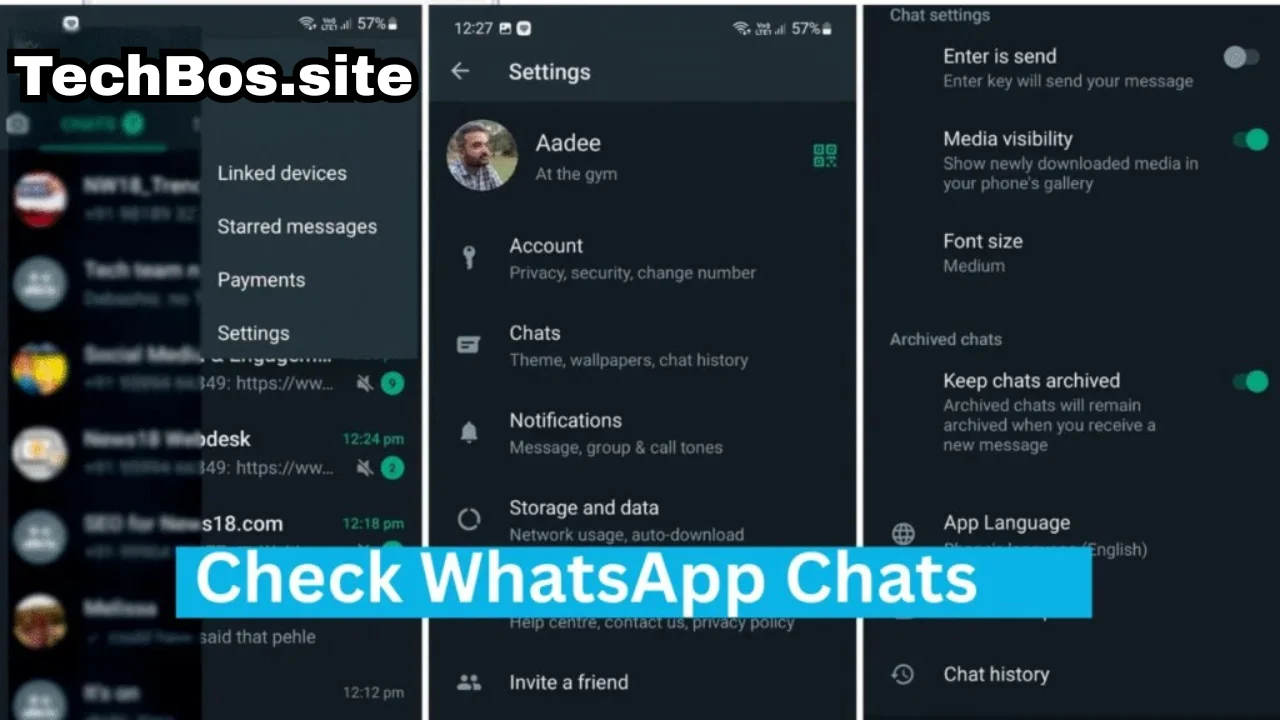
- Open Settings
- Select Account
- Tap Two‑Step Verification
- Create a secure PIN code
Why It Is Important
✔ Prevents unauthorized login attempts
✔ Adds an additional authentication step
✔ Protects your account even if someone knows your phone number
Use App Lock for Extra Privacy
Most smartphones allow you to protect apps with fingerprint or face recognition.
Benefits
- Prevents others from opening the app
- Protects messages if your phone is unlocked
- Adds another layer of privacy
Control Who Can See Your Information
WhatsApp allows users to customize privacy settings.
You can choose who can see:
- Profile photo
- Last seen and online status
- Status updates
- About information
Setting these options to “My Contacts” helps limit access to trusted people only.
5. Smart Habits for Digital Safety
Besides using built‑in security features, adopting good digital habits is also important.
Recommended Practices
✔ Keep your phone’s operating system updated
✔ Use a strong screen lock or biometric security
✔ Avoid connecting to unknown public WiFi networks
✔ Regularly review app permissions
✔ Be cautious with suspicious links or messages
These habits can significantly reduce potential security risks.
6. What to Do If You Lose Access to Your Account
If you cannot access your account, follow these steps:
- Open the WhatsApp application.
- Enter your phone number.
- Request a new verification code.
- Enter the code to regain access.
Once you log back in, any previous active sessions will automatically be closed.
It is also recommended to inform your contacts so they are aware of the situation.
Why Messaging Security Awareness Is Important
Digital communication platforms have transformed the way people connect globally. However, users must also understand how to protect their accounts and personal data.
By enabling the correct privacy settings and staying alert to suspicious activity, you can maintain a safe and secure messaging experience.
Conclusion
WhatsApp remains one of the most secure messaging platforms available today thanks to End‑to‑End Encryption and strong privacy tools.
However, maintaining account security also depends on user awareness. By following the security tips in this guide and enabling important features such as two‑step verification and app lock, you can significantly improve your account protection.
Stay informed, practice safe digital habits, and enjoy secure communication with confidence.